Neuro L1 — the neuron
↔ drag the drawing
 brainnot
Sign in
Try it free
brainnot
Sign in
Try it free
Neuro L1 — the neuron
↔ drag the drawing
Draw freely, explore the brain and body in 3D, and bring every lesson to life.
01 · Write
Type a structure and it lights up: blue for the brain, orange for the body.
02 · Brain
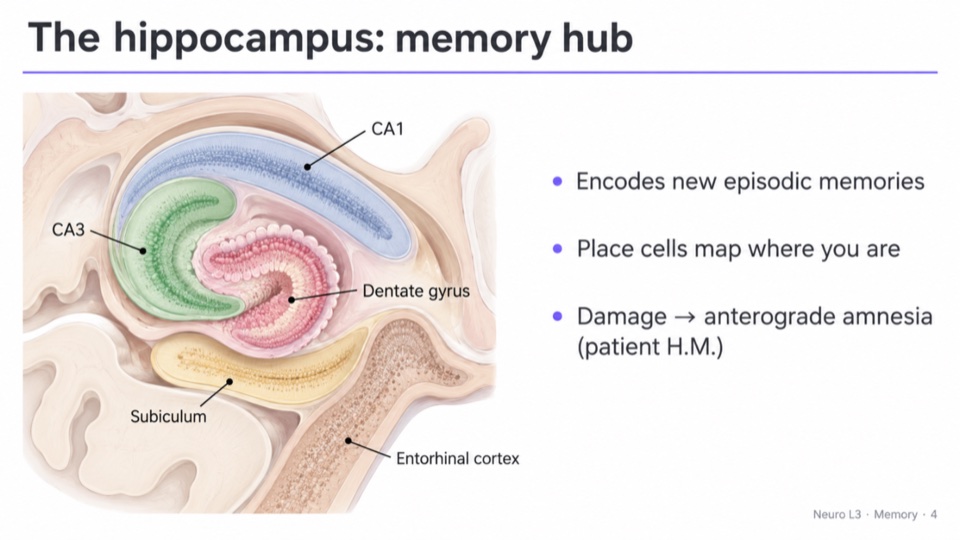
Write hippocampus and it turns right above the word. 76 regions, each lit inside a see-through brain.
03 · Body
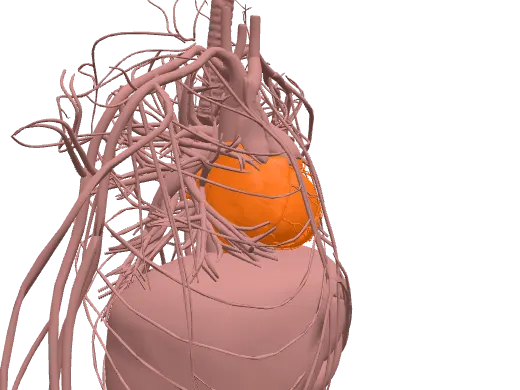
Quadriceps, femur, heart: 6,800 body parts, each in 3D the moment you write it.
04 · Draw
Loop a takeaway with the pen and it becomes a box. The text flows into whatever you draw.
05 · Slides
Drop a lecture slide on the page and drag it anywhere: every line reflows, live. Go on, grab it.
06 · Quiz
One tap on any structure: instant questions from your own notes, with sounds and three humor modes.
07 · Roadmap
brainnot reads your lecture, lists what it expects you to know, and turns it into an exam you can practise.
08 · Try it yourself
Click the note and write a structure, draw a box, drag a picture in. Nothing leaves your browser.
Free while in beta. Your notes sync to your account, on every device.
Start writing →